About Our On-Site Demo

Traditional training explains risk. VR lets teams experience it safely.

With an on-site demo, Spatio brings the VR setup to your office or facility and runs guided sessions for both leadership and frontline teams. You get a clear view of realism, engagement, and how outcomes can be measured across roles and locations.

What You Get in the On-Site Demo

Management Walkthrough

A short, practical briefing on where VR fits in your training stack, what gets measured, and how it supports compliance and workforce readiness.

Hands-On VR Sessions for Teams

Trainees rotate through guided simulations and complete key SOP steps in a controlled VR environment.

Performance and Reporting Preview

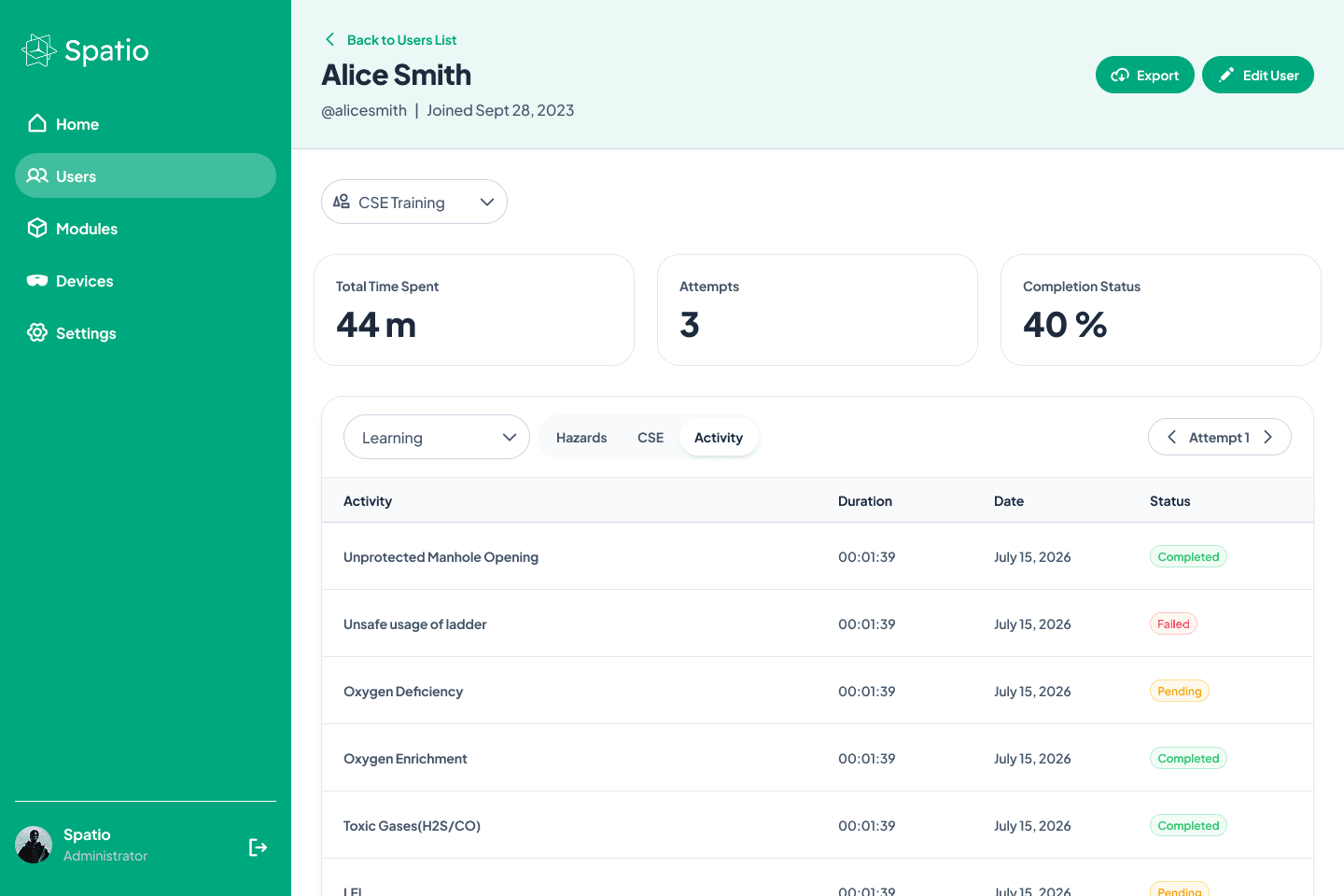
See what gets tracked during a session, including actions taken, errors, completion, and readiness signals.

Pilot Plan Recommendation

A clear suggestion of which modules to pilot first, based on risk, frequency, and training gaps.

Demo Modules You Can Showcase On-Site

Choose from high-demand safety and operations scenarios, or we can recommend a shortlist based on your industry:

Confined Space Entry and Rescue: hazard identification, permit-to-work flow, emergency response

  • Work at Height Safety: fall protection practice, safe sequencing, risk recognition
  • Fire Safety Training: hazard identification, extinguisher use, evacuation readiness
  • Electrical Safety Training: risk identification, isolation workflow, safer decision making
  • Manual Handling Safety: correct lifting, posture, injury prevention
  • Hand Safety Training: pinch points, tool handling behaviors, PPE usage
  • MEWP and Lift Operations: scissor lift, boom lift operational readiness
  • EOT Crane Operations: practical decision-making and safe operation sequencing
Request an On-Site Demo
Configurable Dashboard
User Training Insights

Host a VR Day at Your Office

A VR Day is the fastest way to get buy-in across leadership and the workforce.

Instead of explaining VR in a meeting, your team experiences it, sees the realism, and understands how it can reduce risk and standardize training outcomes across shifts and sites.

What a Typical VR Day Looks Like

  • Setup and calibration (Spatio team handles it)
  • Leadership demo for decision makers and HSE leadership
  • Rotational sessions for operators, technicians, supervisors
  • Debrief and roadmap: what worked, what to pilot, rollout steps

Who Should Attend

  • HSE and Training leaders
  • Operations heads and site managers
  • Supervisors and frontline teams
  • HR or L&D (if training governance sits there)
Request an On-Site Demo


    Frequently Asked Questions

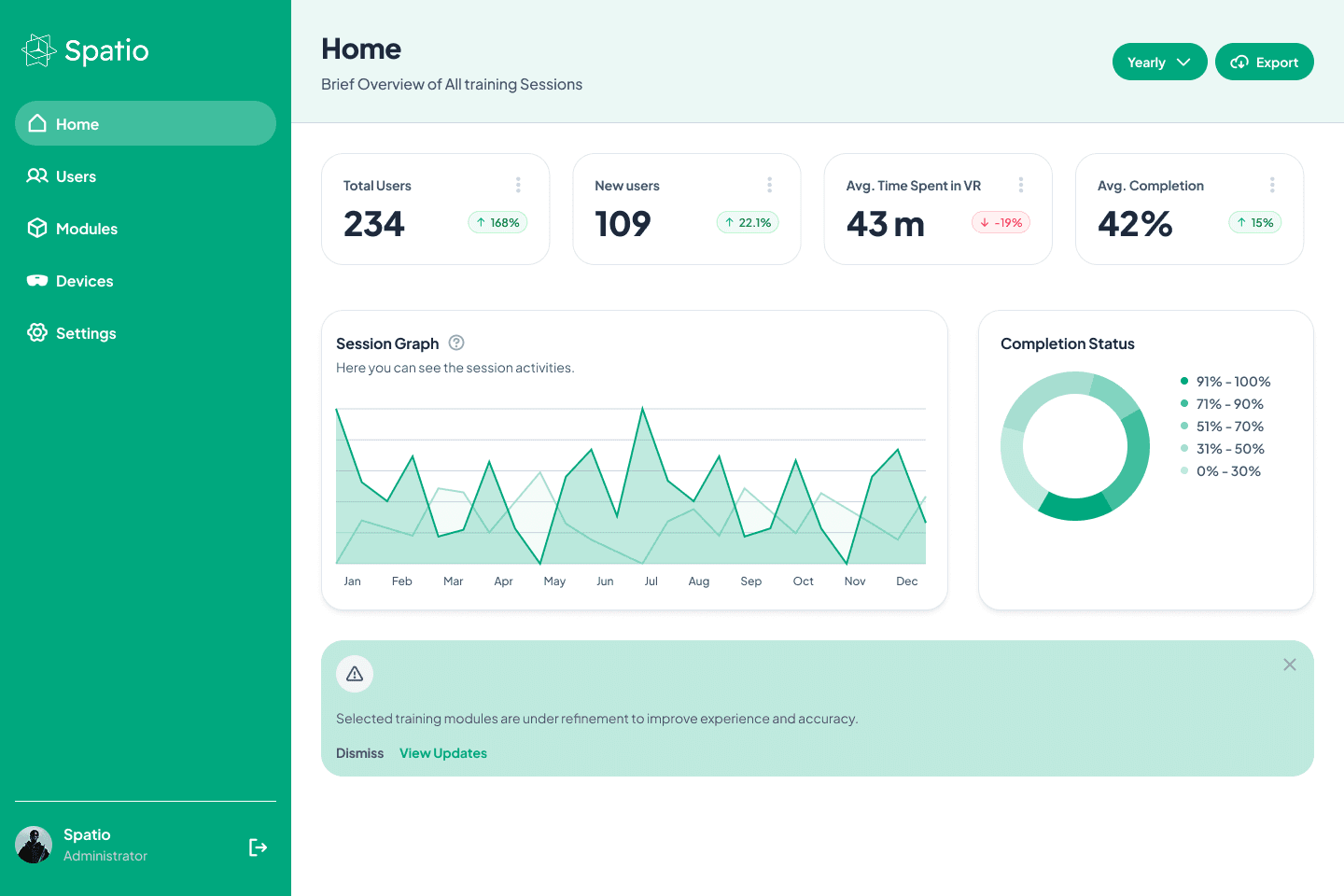
    Axis is used to manage and measure VR training across users, teams, and locations, including completion tracking, performance logs, reporting, and device control.

    Yes. Axis provides user-level logs showing module attempts, completion, time spent, and performance checkpoints, so you can review progress and gaps clearly.

    Yes. Axis supports bulk onboarding and structured team management so you can scale across departments, sites, and high-churn contractor groups.

    Yes. Axis is designed to produce training evidence and reports that are useful for audits, internal reviews, and safety governance.

    Yes. Axis includes centralized device management capabilities to help monitor training devices and keep deployments consistent.

    Share your training goals, target roles, and modules. Spatio will recommend the rollout flow, onboarding approach, and reporting setup.

    Privacy Preference Center